Pluto.jl をリモートサーバー(Linux) + Apacheプロキシで使う
January 4, 2026 – 9:13 amLinux server上でPlutoを起動させ、プロキシ経由でブラウザ(Windows)からアクセス許可する。Plutoの起動にあたってはポートの指定を初めてとする、いくつかのオプションを指定しておく。
Julia プロンプトでの起動:
using Pluto
Pluto.run(
    host="127.0.0.1",
    port=1235,
    launch_browser=false,
    require_secret_for_open_links=false, # 外部からURLを叩く場合に便利
    require_secret_for_access=false      # セキュリティをIP制限(Apache側)で担保する場合
)
DNS Records に pluto を定義
Apacheの設定(Virtual Host: pluto.yamasnet.com )
<VirtualHost *:80>
     ServerName pluto.yamasnet.com
     RewriteEngine On
     RewriteCond %{HTTPS} off
     RewriteRule ^(.*)$ https://%{HTTP_HOST}%{REQUEST_URI} [L,R=301]
</VirtualHost>

<VirtualHost *:443>
    ServerName pluto.yamasnet.com
    ServerAdmin webmaster@yamasnet.com

    ProxyRequests Off
    ProxyPreserveHost On

    # WebSocket のための Rewrite 設定
    RewriteEngine On
    RewriteCond %{HTTP:Upgrade} =websocket [NC]
    RewriteRule /(.*)           ws://localhost:1235/$1 [P,L]
    RewriteCond %{HTTP:Upgrade} !=websocket [NC]
    RewriteRule /(.*)           http://localhost:1235/$1 [P,L]

    <Proxy *>
        Require all denied
        # アクセスを許可するIPアドレス範囲
        Require ip 2405:6582:c200::/48
        # ローカルからのアクセスを許可
        Require ip 127.0.0.1
    </Proxy>

    # 基本的な ProxyPass 設定
    ProxyPass / http://localhost:1235/
    ProxyPassReverse / http://localhost:1235/

    SSLEngine on
    SSLCertificateFile /etc/letsencrypt/live/yamasnet.com/cert.pem
    SSLCertificateKeyFile /etc/letsencrypt/live/yamasnet.com/privkey.pem
    SSLCertificateChainFile /etc/letsencrypt/live/yamasnet.com/chain.pem

    # セキュリティヘッダーなど
    Header set Strict-Transport-Security "max-age=31536000; includeSubDomains"

    Protocols h2 http/1.1
</VirtualHost>
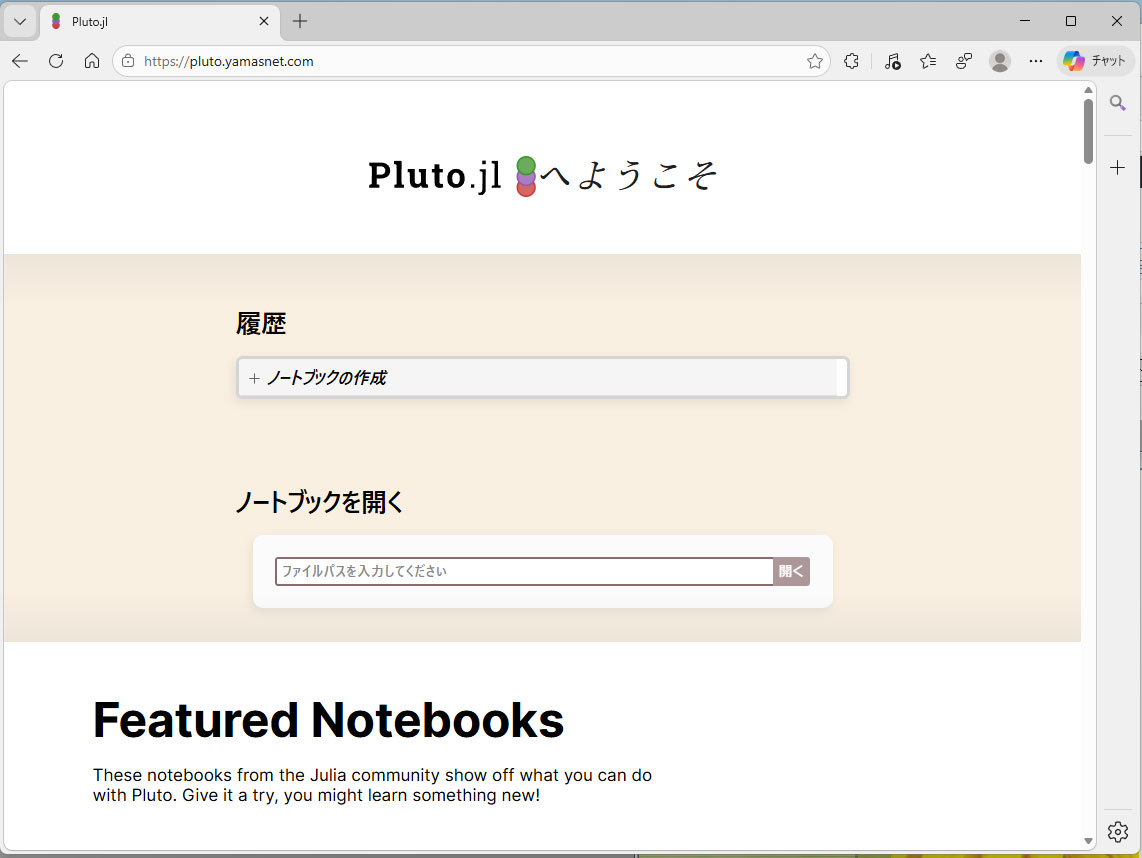
https://pluto.yamasnet.com 初期画面(画面上部のみ)